Products & Services Module
Products & Services Module
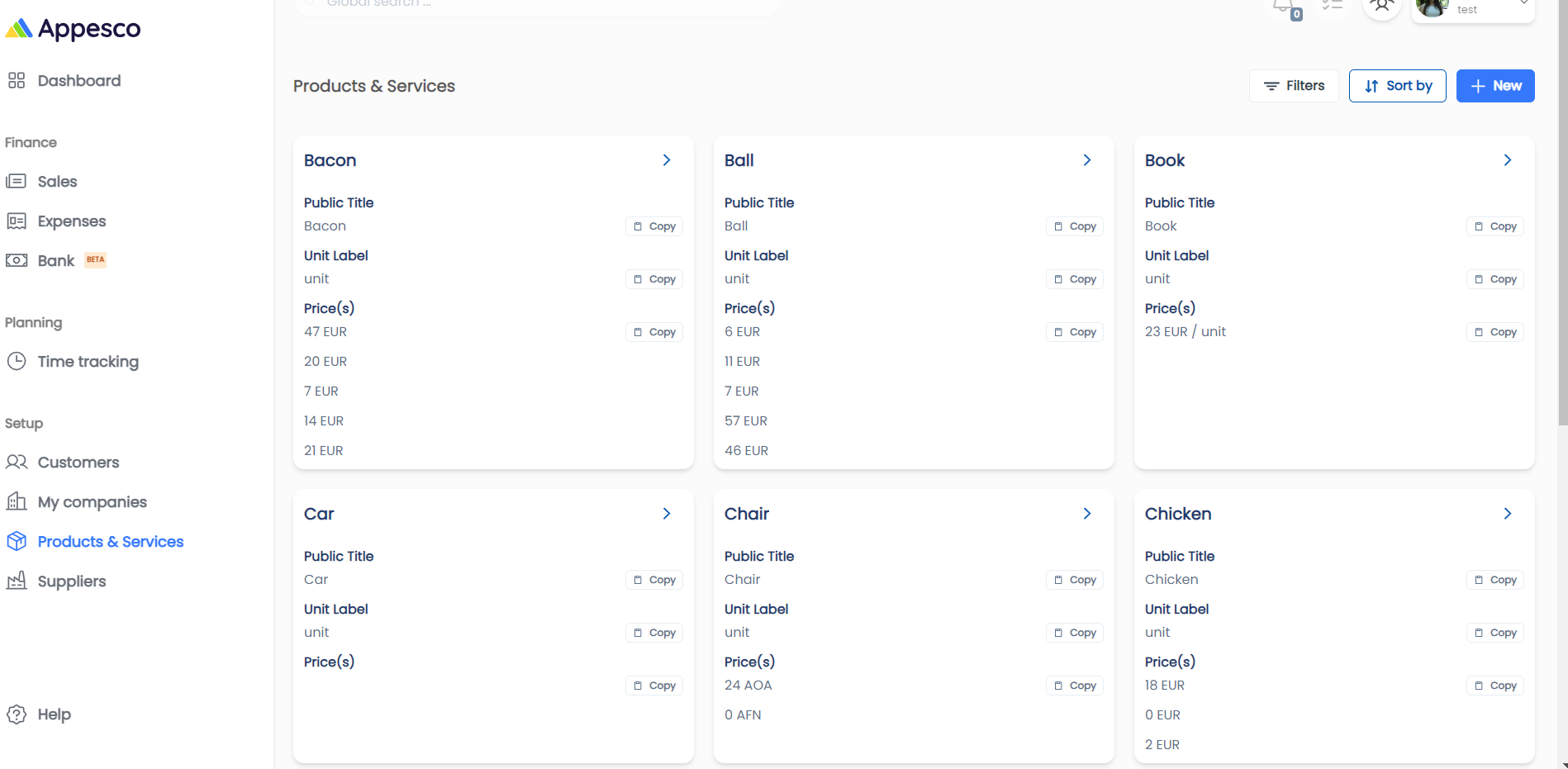
Effortlessly manage products and services with this module. Add and organize items for invoicing, including details like name, description, unit label (e.g., hour, piece), and prices. Streamline your invoicing process with comprehensive product and service management tools.
1. Overview:
The Products & Services module enables you to efficiently add and manage products and services for streamlined invoicing.
For a detailed video tutorial, please click here.
2. Key Features:
- Product and Service List: Displays a complete list of all your products and services.
- Adding a New Product or Service: Click the "New" button to add a new product or service.
3. Creating a New Product or Service:
Club colours help connect shirt design with supporter identity. When everyday comfort matters as much as appearance, Real Madrid jersey(camiseta del Real Madrid) provides the relevant shirt option. Small construction details can make a noticeable difference during long matchdays.
- Adding Details:
- Click the "New" button to open the form for adding a new product or service.
- Product or Service Details:
- Title: Enter the name of the product or service.
- Description: Provide a description of the product or service.
- Unit Label: Specify the unit label (e.g., hour, piece, kg).
- Prices: Enter the price details.