Managing Profile and Workspaces
Managing Profile and Workspaces
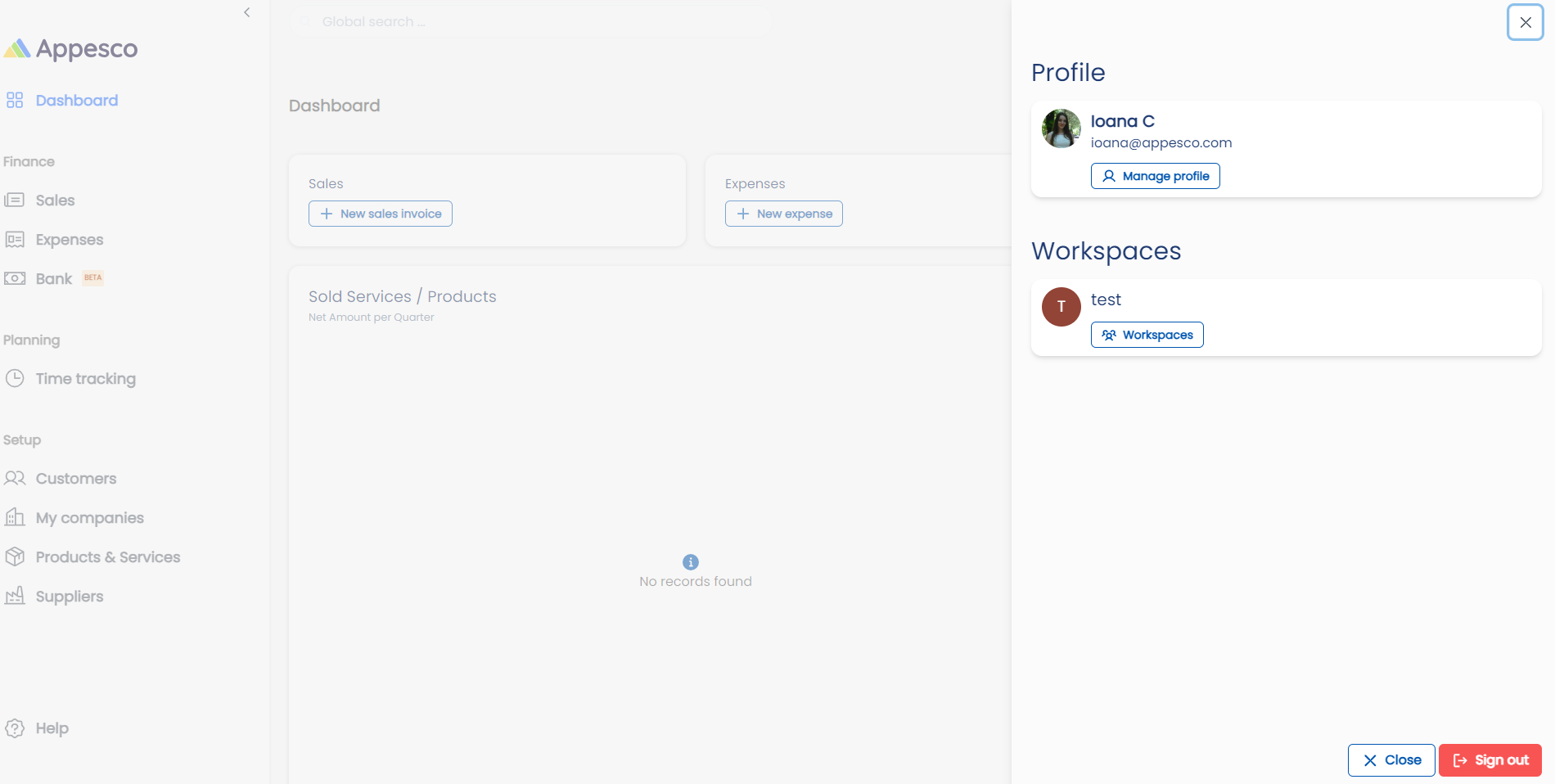
Manage profile and workspaces conveniently by clicking the top-right icon. Edit personal details like name, email, and phone number, and update your profile icon. Create and select workspaces to organize your freelance business efficiently.
1. Overview:
To manage your profile and workspaces, click on the icon located in the top right corner of the interface.
For a detailed video tutorial, please click here.
2. Profile Management:
- Editing Personal Information:
- Name: Update your name.
- Email: Change your email address.
- Phone Number: Edit your phone number.
- Icon: Update your profile icon.
3. Workspace Management:
- Creating New Workspaces: Create new workspaces to organize different aspects of your freelance business.
- Selecting a Workspace: Choose which workspace to use from the available options.