

Contract Renewal Management Software
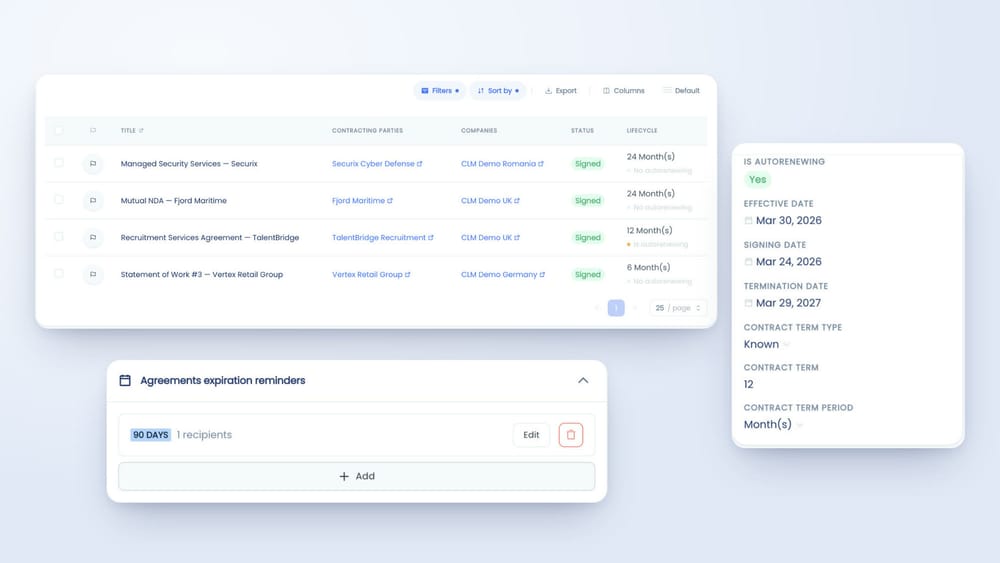
See which contracts auto-renew, when they end and who is responsible. Get reminded a set number of days before they end.
Decide before the contract renews. Not after.
An auto-renewing contract with a 90-day notice period gives you a deadline nobody put in a calendar. Miss it and you pay for another year of a tool, a supplier or a service you meant to renegotiate. Appesco records which contracts renew, when they end, and reminds the people you choose before they do.
Record
Effective date, end date, contract term and whether the contract renews automatically.
Remind
Reminders a set number of days before a contract ends, sent to the people you choose.
Review
Filter for auto-renewing contracts by date, entity or owner.
Decide
Renew, renegotiate or end it, with the contract and its key details in front of you.
See which contracts renew on their own.
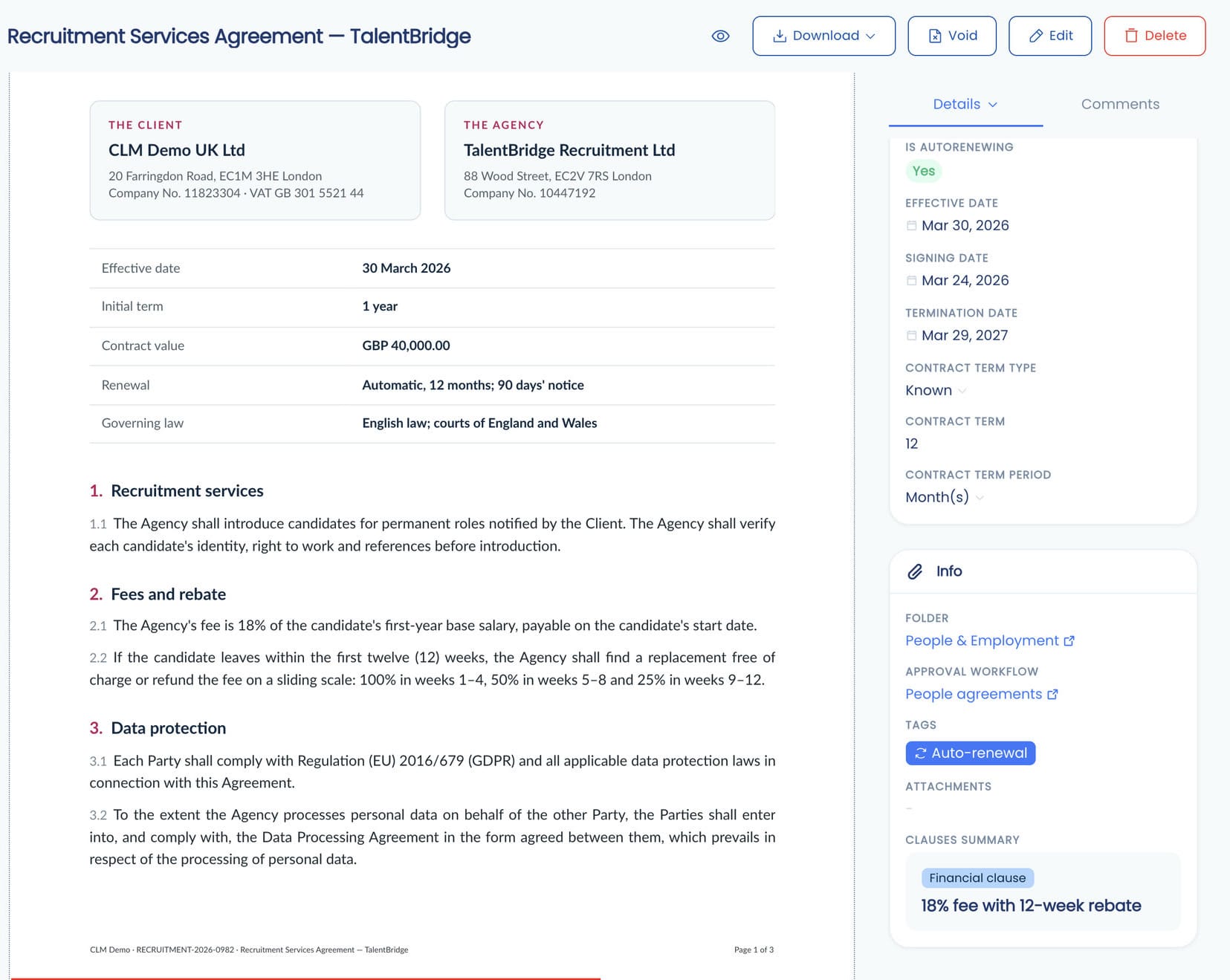
Renewal terms are often buried in a clause on page 7. In Appesco, every contract shows whether it auto-renews, its term and its end date, next to the document itself.
Get reminded before contracts end.
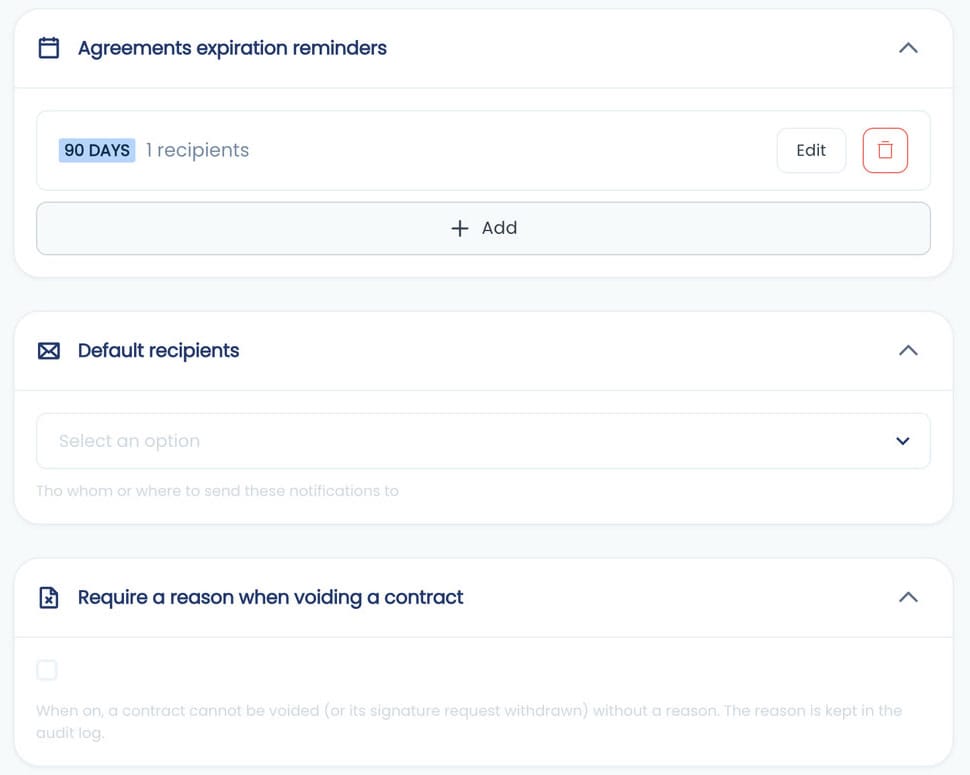
Choose how many days before a contract ends people should hear about it. Check the notice periods in your agreements and set reminders early enough to leave time to decide and to give notice.
One list of the contracts that need a decision.
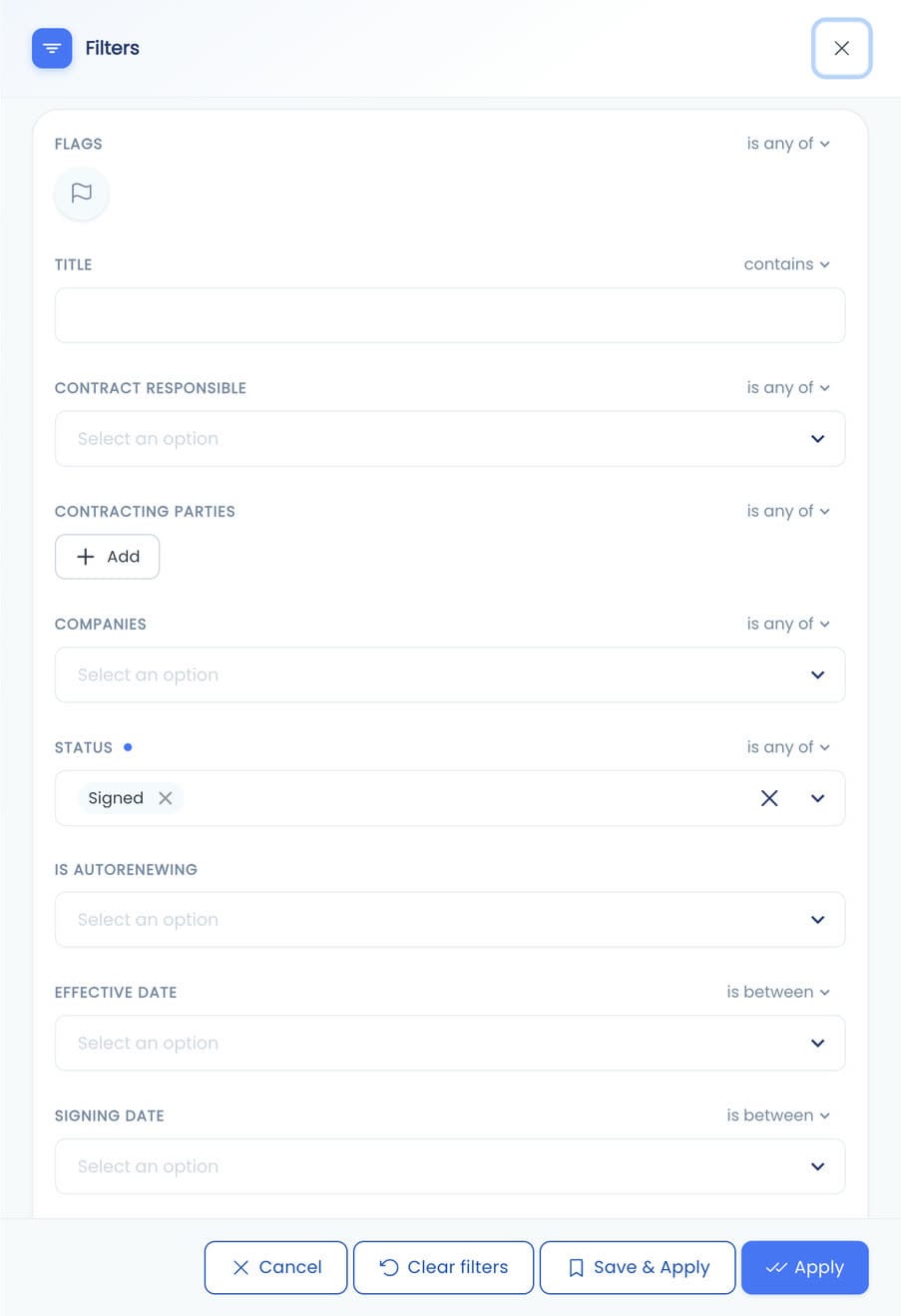
Filter your contracts by auto-renewal, status, dates, contracting party, legal entity or the person responsible. Save the filters you use every quarter.
What Onchain Foundation says
“The streamlined approval workflows, agreement organization, and expiration notifications have reduced our risks and prevented errors.”
Start with the contracts that renew.
Add your auto-renewing agreements first: software, services, leases. Record their end dates and set your reminders. These are the contracts where a missed date costs money. When a contract renews, update its end date so the next reminder goes out on time.
Renewals work best when contracts are easy to find and approved the same way every time. See contract visibility and contract approval workflows.
Prefer assistance? Appesco offers optional paid onboarding services to help organize your repository, configure the system, and train your team.
Find the renewals hiding in your contracts.
Bring a few of your auto-renewing contracts to a demo. We'll show you how to track their dates and get reminded before they renew.
Book a Demo →